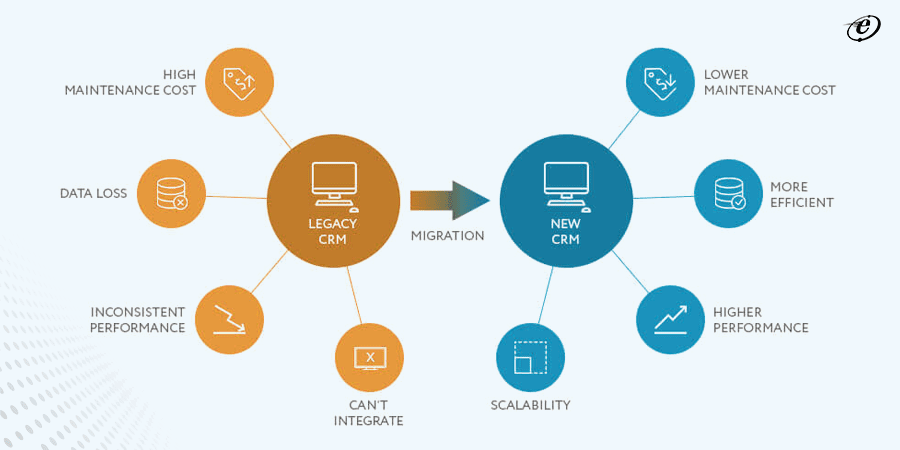
Migration in Odoo refers to upgrading the platform to the latest available version. Given that Odoo is a dynamic management software with frequent updates and releases, it becomes imperative to transition from the current arrangements to the newer ones. This migration introduces new features and advancements offered by the Odoo platform and ensures the seamless integration of these updates with existing company operations for the clients.
We, at DotBotics, address these considerations meticulously helping organisations to successfully execute the migration process, enabling them to capitalise on the advanced capabilities and improvements offered by the upgraded Odoo platform. DotBotics can help businesses to optimise their operations and effectively leverage the enhanced features provided by the latest Odoo 18 software iteration.
Delivering Comprehensive Odoo Implementation Services From Scratch To Completion.
Why Odoo ERP Migration?
Odoo ERP migration allows clients to upgrade the ERP software to a new and improved version that improves performance, speed and reliability compared to the previous version. As a dynamic management software, Odoo constantly updates its platform with new versions that introduce advanced features and additional features that provide businesses with the tools to operate more efficiently.
It will benefit clients as it increases productivity and streamlines business operations. With the move, clients can expect reduced time to run Odoo features, simplified user terminology and seamless integration of advancements into existing workflows. Companies can leverage Odoo’s full potential to drive growth and success by adopting the latest version through migration.
Enjoy a 30-Minute Complimentary Session With our Lead ERP Consultant to Kickstart Your Success!
DotBotics, an official Odoo Partner company offers a complete range of services. It involves not only upgrading to a new version but also moving from a different platform to Odoo ERP as well as server migration without changing the version. DotBotics takes care of all the parameters like data backup, keeps the downtime to a minimum and takes proper security measures before migrating. DotBotics follows an analysed process to conduct the migration.
1
Module Migration
Core Modules
OCA Modules
3rd Party Modules
2
QC in Staging Branch
Master Data Migration
Opening Balance
User Matrix & Access
Transactional Data Migration
3
Production Roll-out to Client's Server
UI Testing
Functionality Testing
User Group Testing
4
Module Testing
UAT
New Feature Requirements
5
Data Migration
Source Code Handover
Database Config
User Training
Documentation
We Migrate from Odoo Community V10 to latest Odoo V18